
关于此 MOD
移动速度提升与逼真的摆动推进
注意:此mod现已更新到当前COTW版本翅膀 @ 移动速度增加1.4倍和逼真的摆动进展
警告:如果您将此或任何其他mod用于Hunter: COTW,每个补丁可能导致mod无法正常工作,或者mod可能会在主要游戏中导致意外行为。在任何情况下,如果您尝试加载模组游戏,请不要假设新补丁引起了问题。
增加慢跑、行走、蹲下和爬行的速度。
x1.5步行
x2用于蹲伏
x2用于爬行
减少摆动
-站立姿势60%
-80%用于蹲伏姿势
-俯卧姿势100%
在“文件”选项卡中,您可以选择更快版本的“移动速度”
Installation:
Steam
Go to your Steam games library. Right click on "theHunter:COTW" and choose "Properties". Press "SET LAUNCH OPTIONS" and paste this line (with the dot on the end):
--vfs-fs dropzone --vfs-archive patch_win64 --vfs-archive archives_win64 --vfs-archive dlc_win64 --vfs-fs.
Epic games (Important: copy with quotes)
In the top right Account > Settings scroll down, click on TheHunter: Call of the wild, click Additional Command Line Arguments and paste this line (with the dot on the end):
"--vfs-fs dropzone --vfs-archive patch_win64 --vfs-archive archives_win64 --vfs-archive dlc_win64 --vfs-fs."
Steam
In the same Properties window choose "LOCAL FILES" tab on top of it and click "BROWSE LOCAL FILES" to open the game root folder. Extract the RAR archive here. Extracted path should look as follows:
"...\Steam\steamapps\common\theHunterCotW\dropzone\editor\entities\hp_characters\main_characters\elmer\..."
Epic games
At the bottom right, under the game icon, click on ". . ." then "Manage" in the line "Installation" next to the button "Uninstall" folder icon "Open install location" to open the game root folder. Extract the RAR archive here. Extracted path should look as follows:
"...\EpicGames\theHunterCallOfTheWild\dropzone\editor\entities\hp_characters\main_characters\elmer\..."
There will be two files in the "main_characters" subdirectory (local_player_character.ee & network_player_character.ee) and two files in the "elmer" subdirectory (elmer_aiming.atunec & elmer_movement.mtunec).
检查我的另一个mod:宽敞的背包和安静的脚步声
为Salzwiesen Park DLC更新
注意:此mod现已更新到当前COTW版本翅膀 @ 移动速度增加1.4倍和逼真的摆动进展
警告:如果您将此或任何其他mod用于Hunter: COTW,每个补丁可能导致mod无法正常工作,或者mod可能会在主要游戏中导致意外行为。在任何情况下,如果您尝试加载模组游戏,请不要假设新补丁引起了问题。
增加慢跑、行走、蹲下和爬行的速度。
x1.5步行
x2用于蹲伏
x2用于爬行
减少摆动
-站立姿势60%
-80%用于蹲伏姿势
-俯卧姿势100%
在“文件”选项卡中,您可以选择更快版本的“移动速度”
Installation:
Steam
Go to your Steam games library. Right click on "theHunter:COTW" and choose "Properties". Press "SET LAUNCH OPTIONS" and paste this line (with the dot on the end):
--vfs-fs dropzone --vfs-archive patch_win64 --vfs-archive archives_win64 --vfs-archive dlc_win64 --vfs-fs.
Epic games (Important: copy with quotes)
In the top right Account > Settings scroll down, click on TheHunter: Call of the wild, click Additional Command Line Arguments and paste this line (with the dot on the end):
"--vfs-fs dropzone --vfs-archive patch_win64 --vfs-archive archives_win64 --vfs-archive dlc_win64 --vfs-fs."
Steam
In the same Properties window choose "LOCAL FILES" tab on top of it and click "BROWSE LOCAL FILES" to open the game root folder. Extract the RAR archive here. Extracted path should look as follows:
"...\Steam\steamapps\common\theHunterCotW\dropzone\editor\entities\hp_characters\main_characters\elmer\..."
Epic games
At the bottom right, under the game icon, click on ". . ." then "Manage" in the line "Installation" next to the button "Uninstall" folder icon "Open install location" to open the game root folder. Extract the RAR archive here. Extracted path should look as follows:
"...\EpicGames\theHunterCallOfTheWild\dropzone\editor\entities\hp_characters\main_characters\elmer\..."
There will be two files in the "main_characters" subdirectory (local_player_character.ee & network_player_character.ee) and two files in the "elmer" subdirectory (elmer_aiming.atunec & elmer_movement.mtunec).
检查我的另一个mod:宽敞的背包和安静的脚步声
猎人:荒野的召唤 的热门 MOD
探索适用于 猎人:荒野的召唤 的最佳MOD,带来新功能、升级画面,以及令人兴奋的方式来改变您的游戏体验。
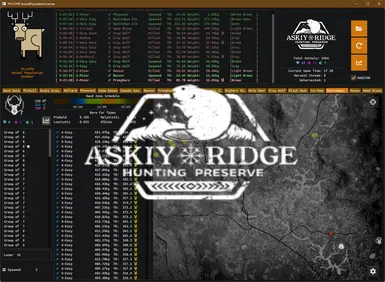
动物种群扫描仪
Ramalamadingdong72025-10-26 18:09:06
这台扫描仪会读取你的动物种群文件,并显示其中的内容。找出你的地图是否像你想象的那么空,或者你是否只是找错了地方。在实时模式下,可以看到你的杀戮和由此产生的真实再现
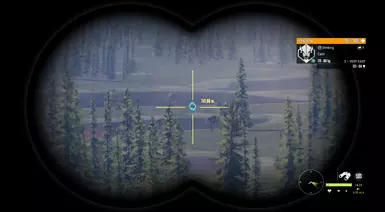
动物渲染距离可达750米
MetalHeron2020-05-28 00:13:49
动物渲染距离从416米到750米
重生和绝望(渲染)距离增加-550-650-750-850米选项-针对澳大利亚更新
chiconspiracy2023-06-22 09:45:28
独立产卵和去产卵距离随着多种选项的增加而增加。澳大利亚地图的初步更新。
动物种群变化
Deleted54828087User2023-07-08 01:52:06
一个允许任何人在游戏中改变所有保护区动物种群的工具。

动物种群乘数
jnthnspn2025-03-26 00:13:31
更新日期:2025年3月
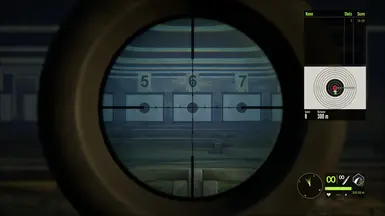
移动速度提升1.4倍,实现逼真的摆动推进
Wingge2020-06-25 03:01:19
移动速度提升40%,实现逼真的摆动推进

仅限稀有毛皮
jnthnspn2025-03-25 02:54:54
更新日期:2025年3月
繁殖率提高(更新)
minecraftisbad9439294232021-04-02 10:54:16
只是一个很酷的模组,可以更好地产卵:D